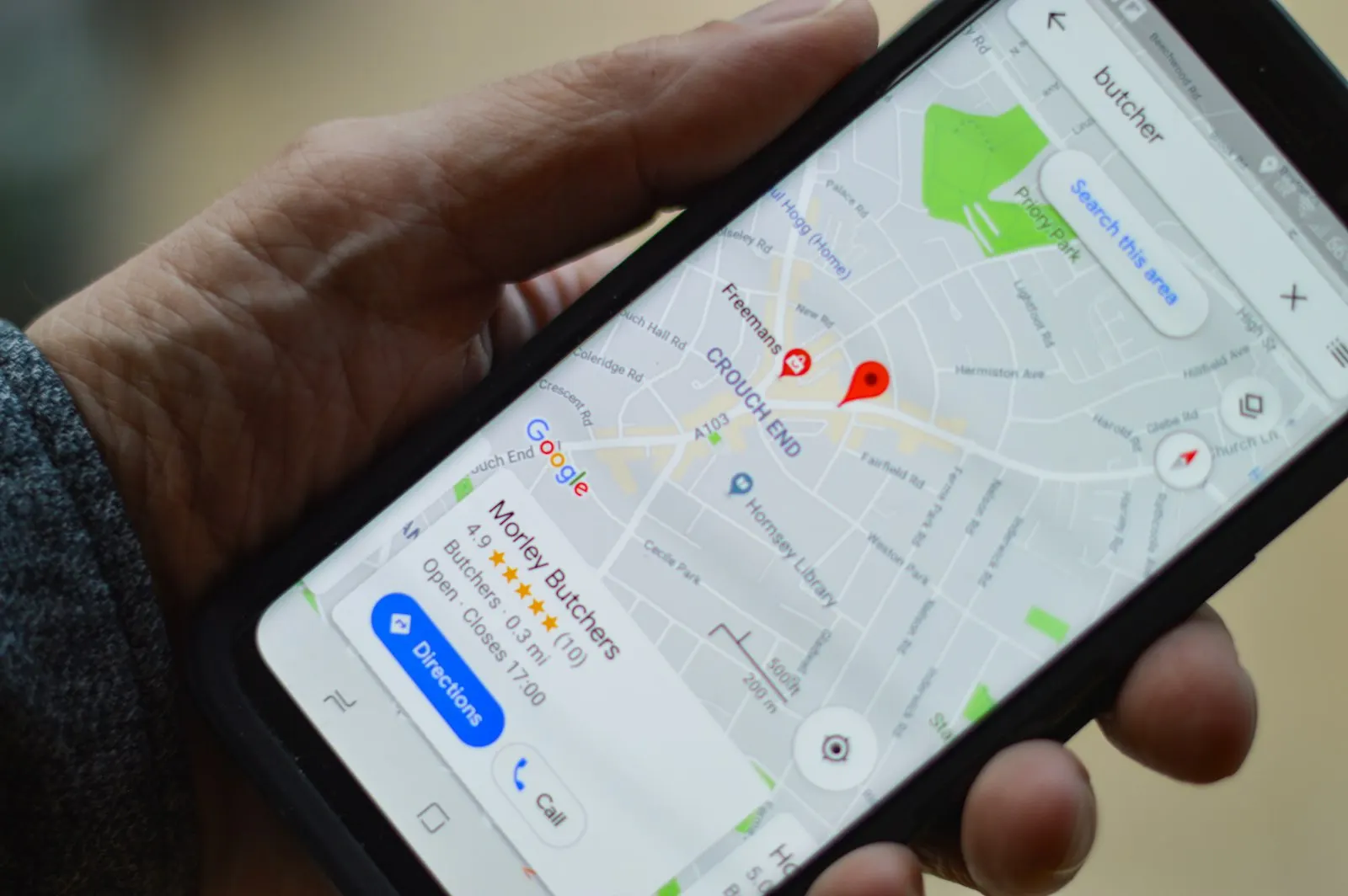
Google Business Profile: a complete optimization guide
How to set up, fill out and maintain your Google Business Profile so more local customers find you, call you and walk through your door.

For a local business, your Google Business Profile is often the first thing a potential customer sees. It appears in the map results, on the right side of branded searches and in Google Maps itself, with your hours, photos, reviews and a button to call or get directions. For many searches, people decide whether to contact you without ever visiting your website.
That makes this free tool one of the highest-value marketing assets you own. This guide walks through setting it up properly, filling out every section thoughtfully and keeping it healthy, with tips specific to businesses in Saskatchewan and across the Prairies.
What a Business Profile is and who can have one
A Business Profile is Google’s listing for a business with a physical location that customers visit, or a service business that travels to customers within a defined area. You are eligible if you meet customers face to face during stated hours or if you serve customers at their location, like a contractor, cleaner or mobile groomer.
Online-only businesses with no in-person interaction generally are not eligible. Neither are rental properties, lead-generation sites or fake storefronts. Google’s guidelines on eligibility and representation are strict, and breaking them can lead to suspension, so read them before you begin.
Step 1: Claim or create your profile
Search for your business name in Google Maps. Often a listing already exists, created from public data or by a previous owner. If so, claim it and complete the verification process, which may use a postcard, phone call, email or video depending on your business and Google’s checks. If no listing exists, create one.
Use the Google account that you intend to control long-term, ideally a shared business account rather than a personal one belonging to a single employee. Add a second owner or manager so you do not lose access if a person leaves. Many businesses discover too late that a former contractor owns their listing.
Step 2: Get your name, category and contact details right
Business name. Use the real name on your signage, website and legal documents. Do not add keywords or locations to try to rank higher. “Regina Premium Best Plumbing Services” in place of your actual name is a common reason for suspensions.
Primary category. This is one of the strongest relevance signals you control, so choose the most specific category that describes your main business. “Plumber” is better than “Home services,” and “Italian restaurant” is better than “Restaurant” if that is accurate. Add secondary categories for other significant services, but resist the urge to add many loosely related ones.
Address or service area. If customers visit you, enter your address. If you travel to customers, list the towns or regions you serve, and hide your address if you work from home. Do not list a mailbox, virtual office or co-working desk you do not actually operate from.
Phone and website. Use a local phone number that you answer. Point the website link to the most relevant page, which for a single-location business is typically the homepage or a dedicated location page.
Step 3: Set accurate hours, including special ones
Opening hours drive a surprising number of decisions. Searches like “open now” and “open late” filter by them. Keep regular hours precise, set special hours for holidays and update them in advance of long weekends. Few things frustrate a customer more than arriving at a closed door that Google said was open.
If you offer appointments only, make that clear in the description and consider adding a booking link. If your hours vary seasonally, as many Saskatchewan tourism, landscaping and outdoor businesses do, change them when the season changes.
Step 4: Describe what you do
The business description gives you a short space to explain who you are, what you offer and what makes you different. Write it for customers, not search engines. Mention your main services, the areas you serve and one or two real differentiators such as years in business, certifications, family ownership or response times. Avoid hype, links and promotional pricing, which the guidelines restrict.
Then fill in services and products. List each service with a brief, plain-language description and, if appropriate, a price or price range. This helps Google match your profile to specific searches and helps customers know what to expect.
Step 5: Add photos that earn trust
Profiles with real, varied photos generally attract more engagement than sparse ones. Upload images of:
- Your exterior and entrance, so people recognize the place when they arrive.
- Your interior, showing atmosphere and layout.
- Your team, giving the business a human face.
- Products, menu items or finished work.
- Work in progress, with before-and-after examples where relevant.
Use clear, well-lit, current photos. Avoid heavy filters, text overlays and generic stock images. Add new photos regularly; an occasional fresh upload signals that the business is active. Make sure your logo and cover photo are correctly set, since they appear prominently.
Step 6: Collect and manage reviews
Reviews influence both rankings and conversions. A profile with many recent, detailed, mostly positive reviews tends to win customer trust over a competitor with few or stale ones.
Asking. Make requests part of your process. After completing a job or sale, send a short message thanking the customer and including your direct review link, which you can copy from your profile. A personal ask from the owner or the person who served them works best. Ask everyone, not only those you suspect will be delighted.
Do not. Do not offer discounts or gifts in exchange for reviews. Do not review-gate by asking only happy customers. Do not write reviews yourself or ask employees to. Do not post the same request in bulk from one device. These practices violate guidelines and can lead to removed reviews or penalties.
Replying. Respond to every review, positive or negative, ideally within a day or two. Thank people by name and mention something specific. For criticism, stay composed, acknowledge the concern, state what you will do and invite them to continue offline. Prospective customers read these replies to judge how you treat people.
If you receive a fake or policy-violating review, flag it for removal through the profile, and keep a record of why it breaks the rules.
Step 7: Use posts, questions and messaging
Business Profiles let you publish short updates about offers, events and news, answer common questions and, where available, receive messages. These features are optional but worthwhile for active businesses.
Use posts sparingly and usefully: announce a seasonal service, a new product, an event or a change in hours. Keep them short, include a clear image and a call to action. Monitor the questions section, because customers and strangers can post there, and add your own answers to common queries about parking, pricing or accessibility.
If you enable messaging, commit to answering promptly. A slow reply is worse than no option at all.
Step 8: Connect the profile to your website
Your profile and your website should reinforce each other. Make sure your name, address and phone number match exactly. Add a map and clear contact details to your site. Link to your profile from the contact page. Use schema markup on your site so search engines can read your business details and hours.
Add tracking so you know what the profile delivers. A simple tag at the end of the website URL, such as a campaign source, lets analytics show how many visitors came from your listing. Combine that with the insights in the profile about calls, direction requests and searches.
Step 9: Avoid the common mistakes
- Duplicate listings. More than one profile for the same location confuses search engines and splits reviews. Find and merge or remove duplicates.
- Keyword-stuffed names. This is a fast route to suspension.
- Wrong categories. Too many or irrelevant categories dilute relevance.
- Outdated hours or phone numbers. These cost real customers.
- Ignoring reviews. Unanswered feedback looks careless.
- Single-person account control. Add backup owners.
- Making major edits without care. Significant changes to a verified profile, such as name or address, may trigger re-verification or temporary suspension.
Step 10: Build a maintenance habit
You do not need to spend hours on your profile each week. A simple routine is enough.
Weekly: reply to new reviews and messages. Monthly: add a few new photos, review your insights, check for incorrect edits suggested by users and confirm hours. Quarterly: review services, descriptions and categories; ask recent customers for reviews; check for duplicate listings. Whenever things change: update hours, address, phone number and special announcements immediately.
What to expect
A well-maintained profile does not produce instant results, but over a few months it should improve how often you appear in map searches, how many people call or request directions and how confident customers feel before contacting you. Results depend on your competition, your category, your location and the quality of your reviews and website.
Treat the profile as part of a broader local strategy. If you would like us to audit your listing, clean up inconsistencies and set up a simple routine for keeping it healthy, get in touch and we will walk you through it.